

Avoid 4x Penalty: Transferring Shares in Singapore for Founders

Ray Tay
Practitioner checklist for founders transferring shares in Singapore: compute 0.2% stamp duty, meet the 14 or 30 day deadlines, secure board approval, and...
Published: 10 August 2026 · Last reviewed: 30 September 2026 · Reviewed by Ray Tay, Co-Founder & Managing Director, VIVOS PTE. LTD. (ACRA Filing Agent FA20240323 · MOM EA Licence 24S2425)
Reserve a company name in Singapore through ACRA’s BizFile+ — the official eService portal where you check availability, submit your application, pay a $15 non-refundable fee, and hold an approved name for 120 days. Most straightforward applications receive approval quickly; complex cases take up to 3 working days, and referral authority reviews can extend that to 15 working days or more.
Key facts before you start:
120 days. That is the exact window ACRA holds your approved name. Miss it, and the name is released back to the public — requiring a fresh application and another $15 fee.
Company name reservation in Singapore requires a $15 BizFile+ application, a clear ACRA uniqueness check, and completion of full incorporation within 120 days of approval.
| Point | Details |
|---|---|
| Use BizFile+ to reserve | Submit via the “Apply for new business entity name” eService at bizfile.gov.sg. |
| Fee is $15, non-refundable | Pay by credit/debit card or eNETS at submission; no refund if rejected or withdrawn. |
| 120-day reservation window | Incorporate within 120 days of approval using your transaction ID or the name is released. |
| Foreign founders need a filing agent | Most non-residents cannot file directly; a registered CSP handles Singpass and ACRA requirements. |
| Vivos provides end-to-end support | Name reservation, SSIC selection, incorporation filing, and corporate secretarial services in one engagement. |
ACRA applies a strict uniqueness test to every proposed name. Understanding what triggers a rejection saves time and the $15 reapplication cost.
ACRA treats certain words as non-distinctive and strips them from the uniqueness comparison. Adding these to an otherwise identical name does not create a new, registrable name:
So “The Asia Tech Group Pte Ltd” and “Tech Pte Ltd” could be treated as identical if “Tech” is the only substantive element. A distinct, brand-specific word is the only reliable differentiator.
Some names trigger mandatory referral to external authorities before ACRA can approve them:
Referral cases add significant processing time — up to 15 working days with ACRA, and 14–60 days depending on the specific authority involved.
ACRA’s policy on name complaints and registrar discretion means that even a name passing the automated uniqueness check can be rejected if the Registrar considers it too similar to an existing name, undesirable, or misleading. Name-review requests require strong written justification and are not guaranteed to succeed.
Every name application requires at least one Singapore Standard Industrial Classification (SSIC) code describing your primary business activity. Choosing the wrong SSIC code at this stage can affect licensing requirements and regulatory referrals — select it carefully before submitting.
BizFile+ offers two distinct search functions. Running both before submitting prevents wasted fees.
Singapore citizens and permanent residents with a Singpass account can log in and file directly. Corppass is used by existing entities. Foreign nationals without Singpass generally cannot submit applications themselves and must engage a registered filing agent.
| Result status | What it means | Your next step |
|---|---|---|
| No match found | Name appears available | Proceed to application — but ACRA may still reject |
| Identical name exists | Name is taken or reserved | Choose a different name |
| Similar name found | Registrar may flag it | Modify the name or prepare justification |
| Reserved | Held by another applicant | Wait for expiry or choose a different name |
Pro Tip: Save screenshots of your search results and note the exact search string you used. If ACRA later flags your name as similar to an existing one, documented evidence of your pre-submission search supports any name-review request.
Common UI pitfalls: BizFile+’s autocomplete may not surface all variants. Search with and without punctuation, with alternate spellings, and with common abbreviations of your proposed name.
The formal process is the “Apply for new business entity name” eService on BizFile+. Follow this sequence precisely — errors in entity type or SSIC selection require a fresh application.
Processing timelines: Most applications with no referral requirement are approved quickly. ACRA may take up to 3 working days for cases requiring internal review. Applications referred to external authorities — MAS, MOH, MOE, or others — can take up to 15 working days with ACRA, and the referral authority itself may add 14–60 days to that timeline.
If you need to withdraw a pending application before ACRA approves it, log back into BizFile+ and cancel the transaction. The $15 fee is not refunded. Once approved, the name is reserved and the 120-day clock starts immediately.
Your transaction ID is the key reference for all follow-up steps. Use it to complete incorporation or other registration transactions within the 120-day window. No extensions are granted — the name is released automatically if registration is not completed in time.
Approval starts a 120-day countdown. The registration tasks below must be completed before that window closes.
For a detailed timeline of what happens between name reservation and full incorporation, Vivos’s guide on how long Singapore incorporation takes covers each stage with expected durations.
120 days moves faster than expected when you factor in document collection, director availability, and corporate secretary appointment. Start the incorporation paperwork on the same day your name is approved.
International founders should note that the requirements for foreign company registration in Singapore include additional steps — a locally resident director, a registered office address, and in most cases a filing agent to handle ACRA submissions.
ACRA’s troubleshooting guide documents the standard error messages and their prescribed remedies. Here are the ones applicants encounter most often.
Name-review requests — where you ask ACRA to reconsider a rejected name — require written justification and are subject to ACRA’s sole discretion. ACRA’s policy on name complaints makes clear that the Registrar’s decision is final. A stronger approach is to choose a clearly distinct name from the outset.
When to contact ACRA directly: use the BizFile+ feedback form or ACRA’s online enquiry channel for application status queries. If the application involves regulated activities or a complex referral, engaging a registered filing agent at this stage avoids further delays.
A clean BizFile+ search is necessary but not sufficient. Three additional checks reduce the risk of branding conflicts and regulatory delays after incorporation.
Run a trademark search on the IPOS Digital Hub before submitting your name application. A name that clears ACRA’s uniqueness test can still infringe an existing trademark — and ACRA registration does not confer trademark protection. Search by word mark and by class relevant to your industry.
Secure the matching domain and social handles before or immediately after name approval. Consistent branding across your company name, domain, and social profiles matters for credibility with clients and investors. Check availability on your preferred registrar and platforms before committing to a name.
Use the e-Adviser for Starting a Business to verify your SSIC code selection and identify whether your planned activities require a license or trigger a referral authority review. This tool consolidates SSIC guidance, name checks, and links to IPOS — running it before BizFile+ submission is the recommended pre-check sequence.
Pre-reservation checklist:
Pro Tip: If you are an international founder, engage a registered filing agent before running any BizFile+ searches. Agents have Corppass access, understand SSIC nuances, and can flag referral risks before you spend the $15 fee on a name that will be rejected or delayed.
For a free name availability check before engaging BizFile+ directly, Vivos offers a preliminary search tool that helps interpret results in the context of ACRA’s uniqueness rules.
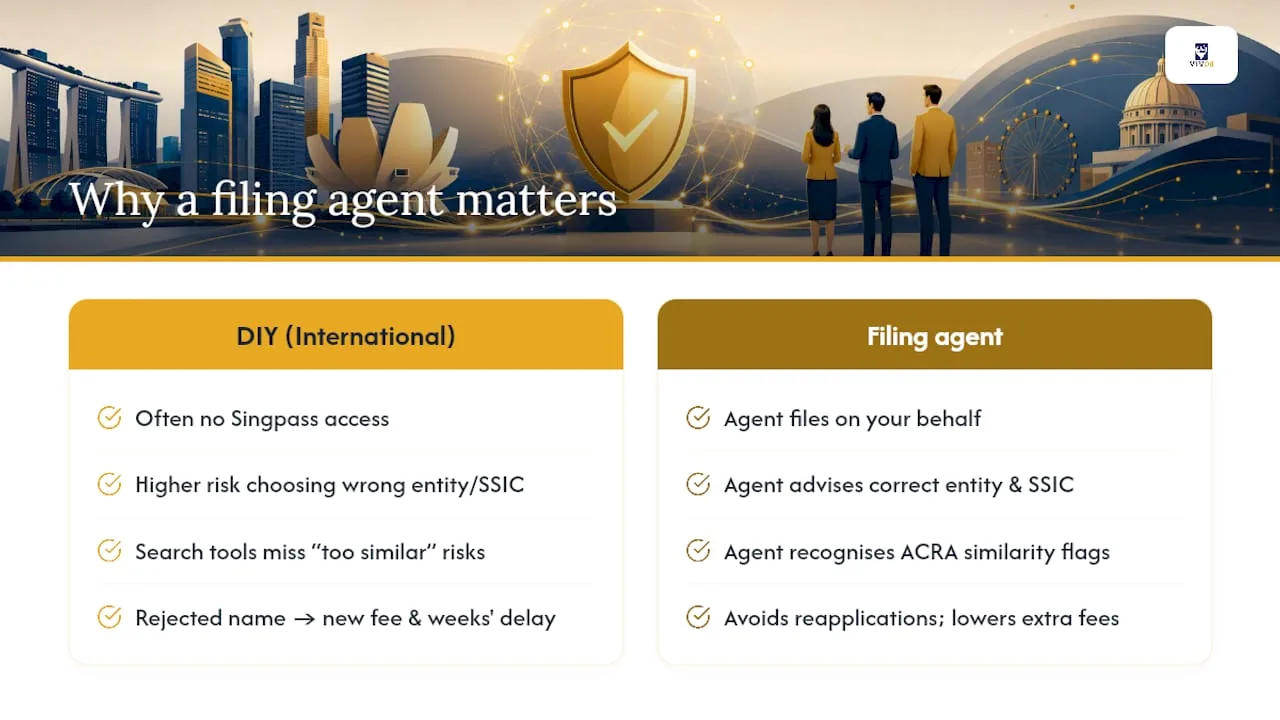
The conventional view is that company name reservation in Singapore is a simple online form. For Singapore residents with Singpass, it often is. For international founders, the picture is different — and the gap between expectation and reality is where most delays and wasted fees occur.
Foreign applicants frequently assume they can complete the BizFile+ process independently. In practice, most cannot file directly due to Singpass restrictions, and the consequences of choosing the wrong entity type or SSIC code at the name-reservation stage compound through every subsequent step. A rejected name means a new application, a new fee, and potentially weeks of delay if a referral authority is involved.
The less-discussed risk is the name that passes BizFile+ search but fails ACRA’s internal review because it is “too similar” under registrar discretion. A filing agent who has seen this pattern recognizes the warning signs — a name that shares a distinctive word with an existing entity, or a descriptor that ACRA has historically flagged — and advises a revision before submission. That judgment is not available from a search tool.
For founders entering regulated sectors (financial services, healthcare, education), the referral process alone can take 14–60 days per authority. An experienced agent prepares the supporting documentation in parallel with the name application, compressing the overall timeline rather than treating each step as sequential.
Vivos handles this entire sequence — name reservation, SSIC selection, referral preparation, and full incorporation filing — as a single coordinated engagement.
Reserving a name is step one of a multi-stage process. Vivos manages the complete sequence — from name availability check through ACRA filing, SSIC selection, director and shareholder setup, corporate secretary appointment, and post-incorporation compliance.

For international founders who cannot file directly, Vivos acts as your registered filing agent, handling Singpass/Corppass requirements, referral authority submissions, and document preparation. Every application is reviewed for entity-type accuracy and SSIC alignment before submission — reducing rejected applications and wasted fees.
The full incorporation service covers name reservation through to a registered Singapore company, with a single point of contact for all ACRA filings. To get started, visit Vivos’s Singapore incorporation services page or contact the team for an initial consultation on your specific entity type and activity.

 2 January, 2025
 2 January, 2025
Practitioner checklist for founders transferring shares in Singapore: compute 0.2% stamp duty, meet the 14 or 30 day deadlines, secure board approval, and...
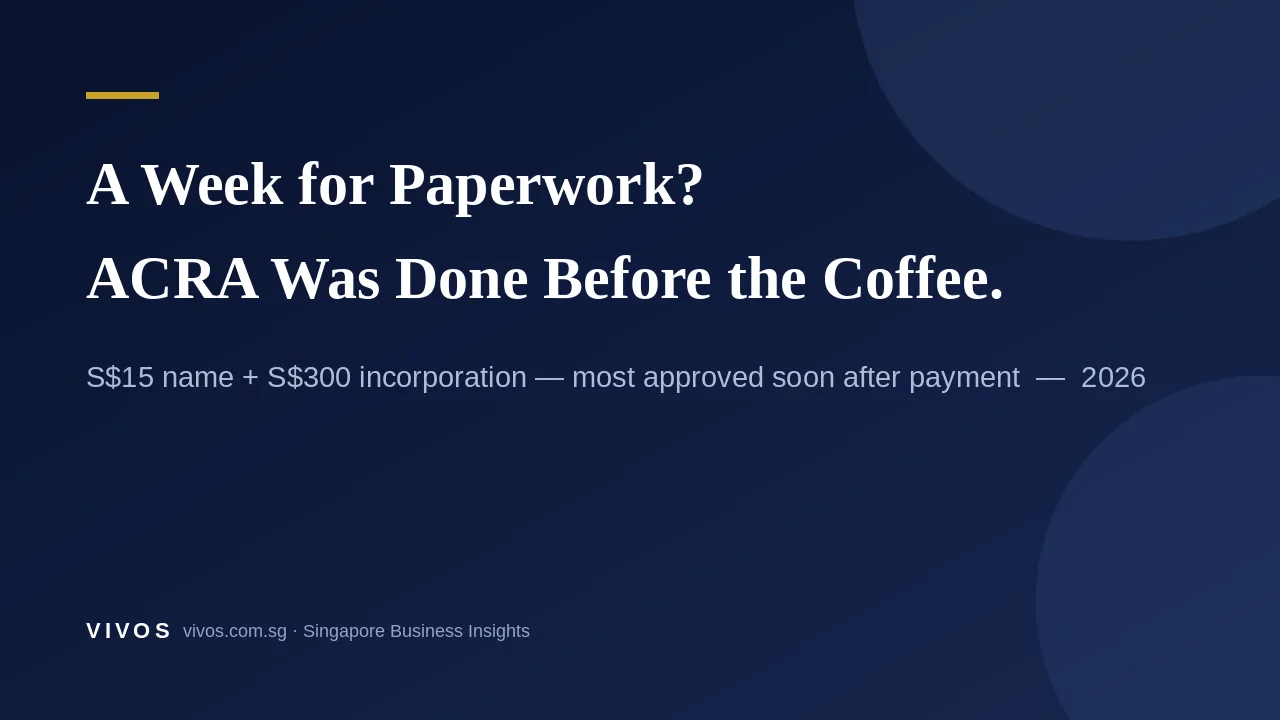
ACRA大多在付款后即批准注册(名称15新元+注册300新元,通常当天完成)。真正拖慢创始人的是未决定的事项:财年、股权、注册地址、银行KYC文件。
ACRA approves most Singapore incorporations soon after payment (S$15 name + S$300). A true client story on what really slows founders down — and the…